

Tiny Construction: Crane Craft – Pixel Art Arcade Challenge
Overview
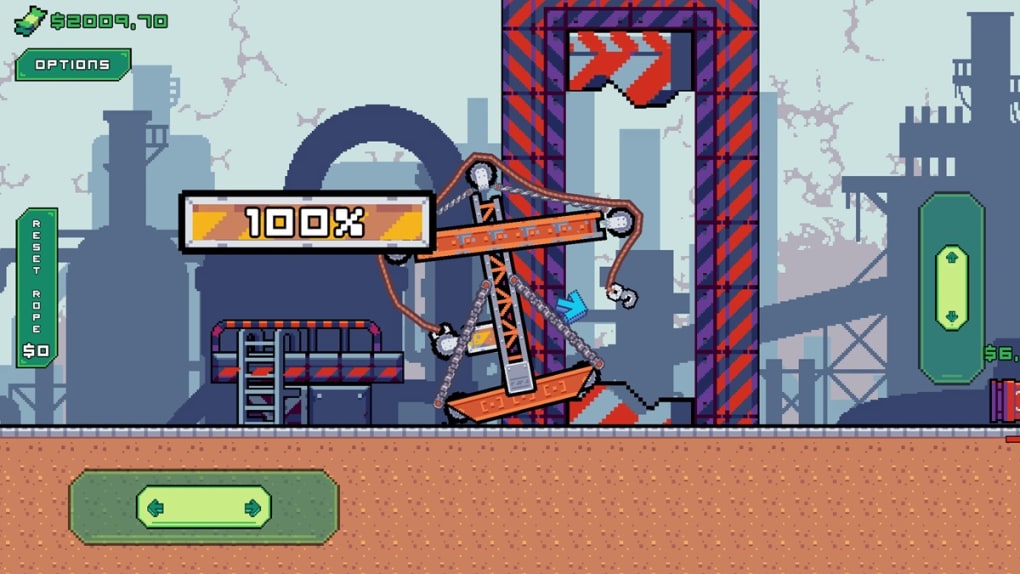
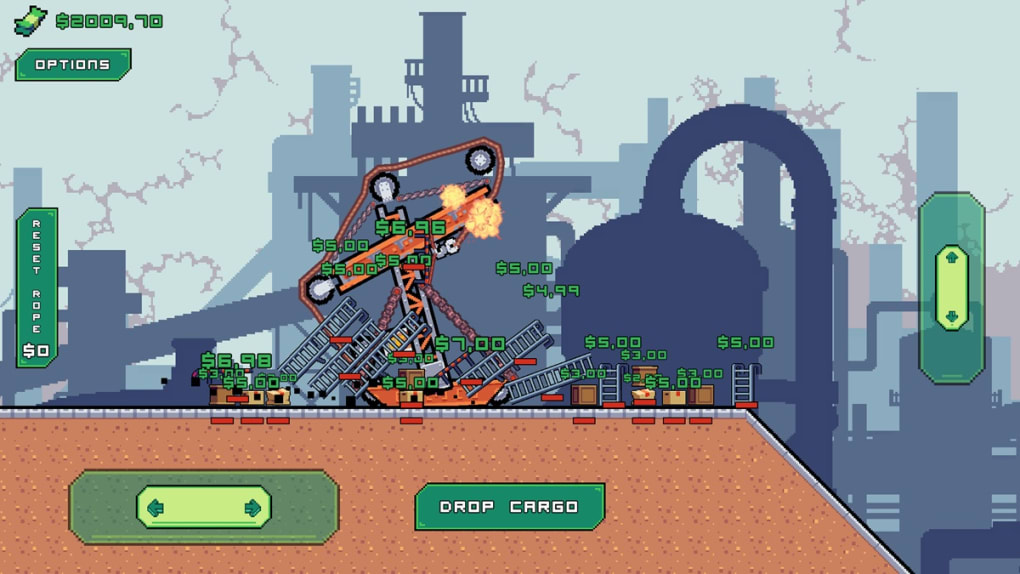
Tiny Construction: Crane Craft is a free-to-play arcade game developed by yelaex, designed for casual players seeking a mix of puzzle-solving and precision-based gameplay. The core objective centers around operating a crane to transport various items to designated platforms across a series of increasingly complex levels. Players must fill an on-screen gauge and meet special item requests to progress, unlocking new stages and upgrading their crane with earned in-game currency. The game is built around a whimsical, intricately detailed pixel art world that enhances immersion and visual appeal.
Target users include fans of casual and arcade-style games who enjoy mechanics-based challenges with a touch of strategy. The game’s structure rewards patience and careful planning, making it suitable for both short sessions and extended play. Real-world usage scenarios range from quick breaks during work or study to dedicated gameplay sessions focused on mastering level designs and crane control. Despite its simple premise, the game presents a unique blend of construction simulation and arcade fun, offering a niche experience within the casual gaming space.
The developer did not provide additional background information beyond the name. Platform compatibility includes Windows and Mac, though specific system requirements were not listed. The game’s free-to-play model allows access without upfront cost, supported by in-game progression systems rather than ads or microtransactions.
Key Features & Capabilities
- Precision Crane Operation – Players control a crane using intuitive but challenging mechanics, requiring careful timing and positioning to lift and move objects without dropping them or colliding with obstacles.
- Progressive Level Design – A variety of levels are available, each with unique layouts, item types, and special objectives such as delivering specific items or filling a gauge within a time limit.
- Crane Customization & Upgrades – Earned money allows players to purchase new parts and enhance crane functionality, improving performance and unlocking new capabilities over time.
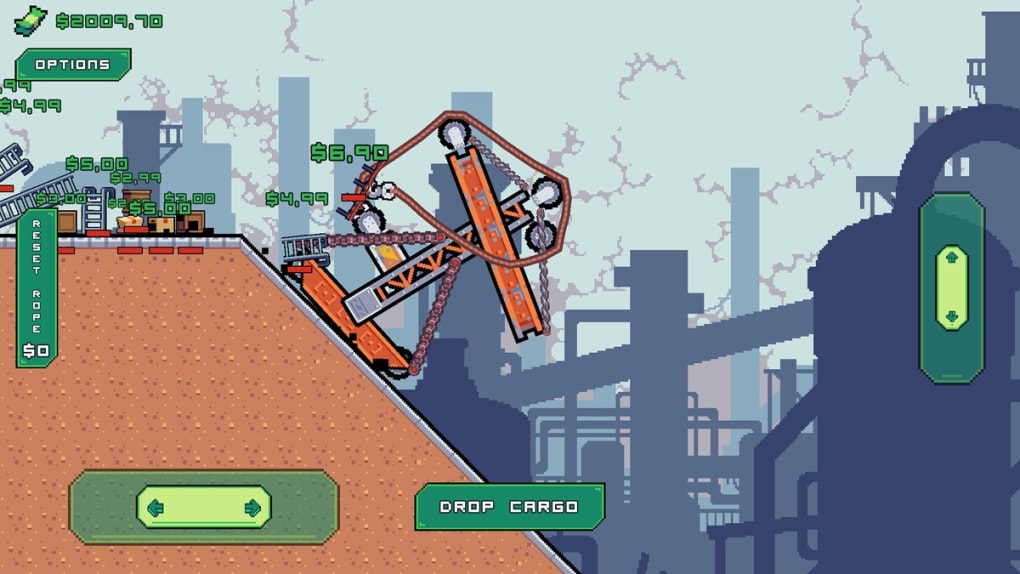
- Pixel Art Visual Style – The game features an intricately detailed pixel art world, contributing to a distinctive aesthetic that sets it apart from other casual construction games.
- Free-to-Play Accessibility – The game is available at no cost, with progression driven by gameplay rather than paid content, making it accessible to a broad audience.
Each level presents a unique challenge, such as navigating narrow spaces, avoiding moving hazards, or balancing multiple item deliveries. The crane’s physics engine plays a central role in gameplay, influencing how objects are lifted, moved, and placed. While this adds depth, it may also contribute to frustration for players seeking smoother control. The customization system allows players to tailor their crane to their preferred playstyle, whether prioritizing speed, reach, or stability.
User Interface, Workflow & Performance
The user interface is designed with clarity in mind, featuring a clean layout that emphasizes gameplay elements such as the crane controls, on-screen gauge, and level objectives. Navigation is straightforward, with intuitive controls that allow players to focus on the core mechanics without distraction. The workflow follows a linear progression: select a level, complete objectives, earn rewards, and unlock new content.
Performance observations are based on general software behavior patterns. The game runs as a desktop application with a file size of 45 MB, suggesting efficient resource usage. However, exact performance details were not specified. The developer did not provide information on CPU or RAM usage, nor did they confirm stability under extended play. Users may experience varying performance depending on their system’s capabilities, though the lightweight size indicates minimal strain on most modern machines.
Crane physics, while central to the game’s challenge, can impact workflow efficiency. Some players may find the control responsiveness inconsistent, leading to repeated attempts on certain levels. This may require either improved skill or the use of in-game resets, which can be purchased with earned currency. Overall, the interface supports the intended gameplay experience, though the learning curve is influenced by the physics model.
Compatibility & System Requirements
Tiny Construction: Crane Craft is available for both Windows and Mac operating systems. The software version is 1.0.0, with a file size of 45 MB. The game is designed as a desktop application, suitable for installation on standard personal computers.
Exact system requirements were not listed. The developer did not specify minimum hardware specifications, including processor, RAM, or graphics capabilities. Compatibility information is limited to the operating systems mentioned. Users are advised to ensure their system meets general requirements for running casual games. The game’s lightweight size suggests broad compatibility with most modern desktops, but performance may vary based on individual configurations.
Pros and Cons
Pros
- Free-to-play with no upfront cost
- Intricately detailed pixel art style enhances visual appeal
- Progressive level design with diverse challenges
- Crane customization system allows for personalization and improvement
- Lightweight installation at 45 MB
Cons
- Crane physics may feel unresponsive or frustrating
- Limited information on system requirements
- Some levels may require repeated attempts due to control difficulty
- Upgrade system relies on earned currency, potentially slowing progression
- No official information on update frequency or long-term support
FAQ Section
Is Tiny Construction: Crane Craft available for both Windows and Mac?
Yes, the game is compatible with both Windows and Mac operating systems.
Is the game safe to download and install?
Yes, the game is distributed as a standalone desktop application. No malware or harmful components were reported in the provided information.
Can I play the game offline?
Yes, once installed, the game can be played without an internet connection.
Does the game include in-app purchases?
The game is free-to-play, but the provided information does not specify whether in-app purchases are available. Progression is driven by earned currency and level completion.
How often are updates released?
The developer did not provide information on update frequency. The current version is 1.0.0, released on March 15, 2024.
Final Thoughts + CTA
Tiny Construction: Crane Craft delivers a distinctive blend of casual arcade fun and precision-based gameplay, set within a visually rich pixel art world. While the crane’s physics may present a steep learning curve and occasional frustration, the game’s diverse levels, customization options, and free-to-play model make it a compelling choice for fans of construction-themed puzzles. The lightweight design and cross-platform availability enhance accessibility, allowing players to enjoy the experience on a wide range of systems.
Those who appreciate strategic gameplay and are willing to overcome control challenges will find value in this title. It stands out in the casual arcade genre for its artistry and depth, despite its limitations. For players seeking a unique, engaging desktop game with a creative twist, Tiny Construction: Crane Craft offers a rewarding experience.
Download Tiny Construction: Crane Craft now







